Showing posts with label Extension. Show all posts

Monday, 22 January 2018

Bluetooth Extension

    Description

    Bluetooth extension.
    Minimum API version for this extension is API version 18, which is Android 4.3 (Jelly Bean MR2).
    Required permission: android.permission.BLUETOOTH_ADMIN, android.permission.BLUETOOTH, android.permission.ACCESS_COARSE_LOCATION, android.permission.READ_EXTERNAL_STORAGE

    Properties

     
    Get DisplayRSSI, i.e. whether RSSI (Received Signal Strength Indication) should be displayed after Scanning.
    Thank you Merciful for being the sponsor of this functionality.
     
    Set DisplayRSSI, i.e. whether RSSI (Received Signal Strength Indication) should be displayed after Scanning.
    Thank you Merciful for being the sponsor of this functionality.

    Methods


    Get Bluetooth state.
    Possible values: Bluetooth off, Turning Bluetooth off, Bluetooth on, Turning Bluetooth on, Unknown.

    Enable Bluetooth without user interaction!

    Note: According to the Android documentation, Bluetooth should never be enabled without direct user consent. If you want to turn on Bluetooth in order to create a wireless connection, you should use the ACTION_REQUEST_ENABLE Intent, which will raise a dialog that requests user permission to turn on Bluetooth, see also this snippet.

    Disable Bluetooth

    Returns Bluetooth MAC address

    Scan Bluetooth devices.
    Caution: Performing device discovery is a heavy procedure for the Bluetooth adapter and will consume a lot of its resources. If you already hold a connection with a device, then performing discovery can significantly reduce the bandwidth available for the connection, so you should not perform discovery while connected.

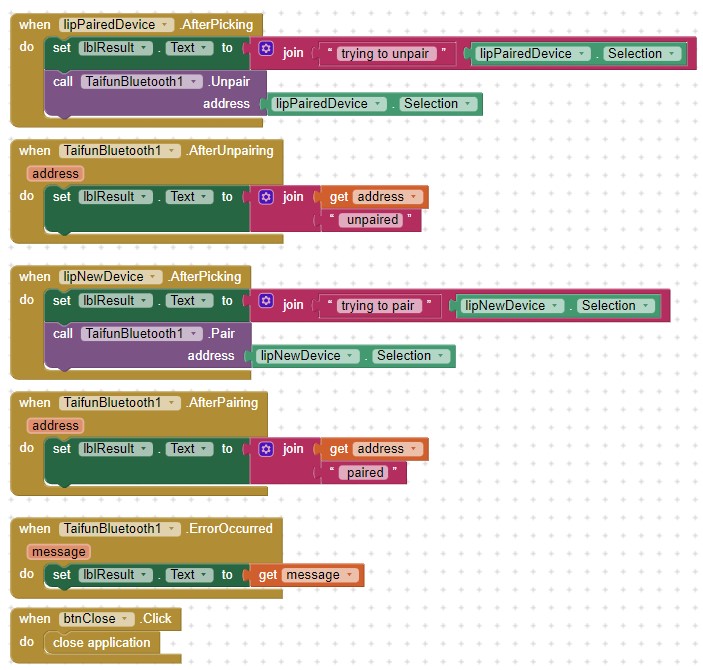
    Pair Bluetooth device. You will have to accept the connection on the other device manually.
    This is currently an experimental block.

    Unpair Bluetooth device.

    Events
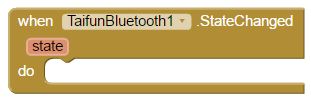

    Event indicating that the bluetooth state changed.
    Possible values: Bluetooth off, Turning Bluetooth off, Bluetooth on, Turning Bluetooth on, Unknown.

    Event indicating that Scanning has finished.
    As result two lists will be provided, a list with already paired devices and a list with new devices.

    Event indicating that Pairing has finished.
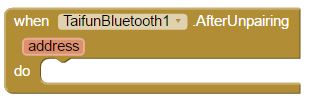
    Event indicating that Unpairing has finished.
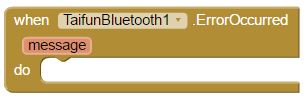
    Event indicating that an error occurred.

    Example App: Bluetooth Extension Test
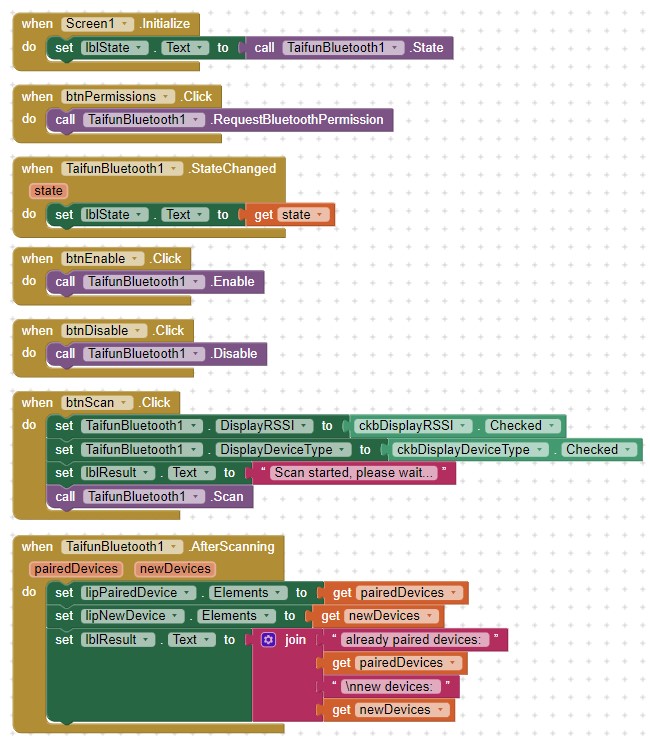
  • Download AIA
  • Download APK

In-App Billing Extension

Description

This extension enables you to use Google In-App Billing in your App Inventor app for Products (both non-consumable and consumable) and Subscriptions.
Required permission: com.android.vending.BILLING

This extension uses the Android In-App Billing v3 library V 1.0.32

Properties


Returns whether In-app billing service is ready to purchase.

Methods


Initialize the In-App Billing service using your licency key and merchant id.
How to get this information, see chapter Preparation for your own app.

Note: The GotOwnItems event will be fired automatially after using that method.

Load Own Items.

Purchase Product.
Note: The purchase process takes a few seconds. You have to trigger the method LoadOwnItems to refresh the purchased items. You only can purchase a product once. Then you first have to consume it before being able to purchase it again.

Consume product.
Note: The GotOwnItems event will be fired automatially after using that method.

Subscribe.
Note: The purchase process takes a few seconds. You have to trigger the method LoadOwnItems to refresh the subscribed items. You only can subscribe an item once.

Get Product Details.

Get Subscription Details.

Events


Event indicating that own items have been loaded.
A list of own products and own subscriptions will be returned.

Event indicating that product details have been received.

Event indicating that subscription details have been received.

Event indicating that an error occurred.

Example App 1: As simple as possible

Let's assume, you like to offer a free version of your app and a premium version. After paying a small amount, the user can upgrade to the premium version to get additional features. So there is only one product to buy. After successful purchase, store the status (premium) in TinyDB, so you also can get the correct status of the app (free or premium) also if there is no internet connection. You can test the example using the test product android.test.purchased also in the companion app.


If you want to test again, first consume the product and clear the tag premium in TinyDB.

Screenshot:


Tuesday, 16 January 2018

Account Manager Extension


Description :

This extension provides some information from the account manager.
Required permission: android.permission.GET_ACCOUNTS, android.permission.READ_CONTACTS, android.permission.WRITE_EXTERNAL_STORAGE
Note: It is recommended to use 
the Pick Google Account extension instead, because that extension does not need any permissions.

Methods


Return the Email of the user's Google Account.
In case there is no Google account available, empty string is provided.

Return the Name of the given account name (email address).
The name will be extracted from the contacts of the device. In case there is no name available, empty string is provided.
Thank you Mika for being the sponsor of this block.

Return the Avatar of the given account name (email address).
The avatar image will be extracted from the contacts of the device. In case there is no avatar available, empty string is provided.Thank you Mika for being the sponsor of this block.

Return a list of all registered account types.

Return a list of account names of a given account type.

Account Manager Test