Showing posts with label Facebook Tips & Tricks. Show all posts

Wednesday, 30 November 2016

How To Promote Your Facebook Page

Hello Friends , There are million of FB pages, but some are famous some are most famous and some conditions is not so good. So today i am here to tell you the my best steps to Promote your Fb page to top of the pages. I will tell you the steps to reach your page to Huge success.

So lets get Start-

1# Give attention to your page

To promote Facebook page with success is to give attention to it. The more time you spend on your page by adding interesting topics and alike, the more traffic you guarantee to get. Add apps, so your fans can interact and make time to chat. Answer questions, comment on the questions and make it user-friendly. It all comes down to commitment and ideas. Social media accounts all need your personal touch as well as your business account.

2# Gain fans

The more you share your page, the more you gain fans and the more traffic you get. Those visitors can like your page and share it, but for that to happen, it must be interesting. You must have a wide variety of topics and things for the fans to do. This is the only way to achieve success. Make a point of getting a Twitter account if you do not have one, and add a link to promote Facebook page as well. In fact, in any social media account you have, add a link to your business page and your Facebook page strategy is foremost in your mind.

3# Have other Social accounts

Twitter, unlike Facebook, is a here and now social media account. You say something on Twitter whenever a thought comes up or discussion happens about a certain celebrity or news. Other social media accounts include Facebook Messenger, WeChat, Mxit, Myspace and Instagram among others. While most of these are more for chatting, you can also advertise them by adding links to your site in order to promote Facebook page.

4# Think Some Good ideas

Your Facebook page strategy must be well thought out and planned. Nobody can run your business or can know more about it than you do. So, promote Facebook page, use all social media accounts that you have, enroll for more and think of good ideas to make your Facebook page strategy the best. By doing this, yours is going to be the best place for your fans that others may discover. The golden rule is to advertise, interact and share. Get your friends to share your page and to mention them on their social media sites. Most of all, have fun with your fans and visitors for them to stay on your page causing more traffic. Thus, making your Facebook page a huge success.

Keep in mind that many things will happen by adding to your page. You have to run specials, install puzzles and things for your fans to keep them on your page longer. The main part of it is all about you and your business. 

These are my Steps to Promote or make a best Page if you like it then Share it any where to spread the knowledge or also like our facebook page, or if you have much better ideas then don't forget to comment below.

How To Increase Likes On Facebook Page


Hello Friends Today we will discuss about to how to increase facebook page likes a most widely search term in the internet. People do search for how to increase facebook page likes automatically on google and find various ways to increase likes on facebook page. But these all are scams to Promote their websites and these tricks are not working Properly, We also receive lots of messages and feedback email regarding it. So today on the special demand of our visitors, we are sharing some awesome working tricks to increase facebook page.

The role of social media plays in today’s technology run era is seemingly interesting. People use social media sites like Google Plus, Twitter, Pinterest, Facebook etc for various purposes. But most people never know on how to increase the liking in social media sites like Facebook. Every SEO and campaign manager goes through the pain-stacking procedure of analyzing and implementing pilot techniques to see whether the given strategy gives results in small scale. We are here going to explain you some important facebook tricks and tips which can give you the answer of your query how to increase facebook page likes.

So Let's Get Start Friends-


How To Get More Like On Facebook Page

It is not rocket science to increase Facebook page likes. Seriously, you do get variety of tactics online, but not all of them work and provide genuine results. we have shared some tricks and discussed some points on how to increase likes on facebook page. Read all the points and follow it to increase likes on your facebook page easily.


1# Updating Facebook Page

One of the most important means to increase Facebook page likes is to simply update the fan page. Basically, each time you update the fan page, you are creating a niche for increasing the number of likes. It is just like making people aware of what your Facebook is all about and trying to make them interested in it. In case you are not able to update the pages then you could try schedule post.

2# Sharing Something Different & New

This is the best tricks for how to increase likes on facebook page. Always try to share something which is quite interesting and new, it will really going to help you to increase Facebook page likes. Human minds are intriguing and it is always in the search for some knowledge and information. Sharing something new will attract people and it would easily boost the likes automatically. You could share some snaps and even put some information as your Facebook page status.

3# Chose The Perfect Time to Share

Here choosing the time means selecting a particular time period to increase the Facebook like page. This is one of common tricks to increase facebook page likes. You could share live updates and feeds at various time schedules, for example, in Indian time, you could share between 7 pm and 9 pm. This is the time when more people will be online. Try to share at least five posts in a day.

4# Invitation

One of the important steps on how to increase facebook page likes is inviting your fans to like your page. Yes! This is the most useful and the easiest tip that you could do. With a single click of the ‘Invite Friends to like Your Page’, you could simply poke and send invitation to the members in your Facebook account to like your page. It is quite simple and easy to use too. You can definitely increase good amount of Facebook page likes with this method.


5# Adding Like Button to Your Website

Just by having a like button on the left corner or top right of the website can be a good thing. You can easily get some new likes within minutes and every day and it is just like a popup present in your website.

6 #Join Facebook Groups Related To Your Pages

This is one of the important tricks to increase Facebook page likes. You should find Facebook groups related to your niche and join it. Remember join those groups who having more than 20k group members. Now ping your Facebook page in that groups. You can even re share your Facebook page post to the group directly. It will also help in increase engagement of you facebook page.

7# Follow These

  • Invite You Fans for Like your Page
  • Always share Picture and Status Both
  • Always share something new
  • Always share Tow or Three Times
  • Always Update your fan page
  • Use HD Image for share on Page
  • Always share about latest Interest
  • You can add your Page in your Blog
  • Ping your page in your Facebook Group
To put in simple terms, they are various steps on how to increase likes on facebook page, but only if you use them in proper manner. One thing that you need to know is that it is not a difficult task but can be done in simple and easy steps. The more you share the more you get. We hope you like our post to increase facebook page likes easily. If you like it then you can even share this wonderful post with your friends. Use below given social media sharing options to share this awesome article. Bookmark this page to get more updates on how to increase facebook page likes.

Thankyou.

Tuesday, 15 November 2016

How to delete Facebook Page or Facebook Account


Hello everyone, I receive many messages or tweets, how to delete Facebook page or Facebook account? Today I will teach you how to delete Facebook fan page or account. It is very simple method to delete Facebook account or page. I hope that will you really enjoy this.
So , lets get start.

How to delete (not deactivate) Facebook Account permanently

First you must have a Facebook account which you have to delete permanently. Then login your Facebook Account. Then go to setting, and click on Security option. As you can see on the picture.


When you enter on security option, on the last option Deactivate your account click on edit. Then click on Deactivate your account option and enter your password to continue the step. When you enter your password you must have to give reason for leaving your Facebook account. As you can see on the Picture.


Then click on Deactivate option, a small window screen in front on your screen(see below), click on Deactivate now.


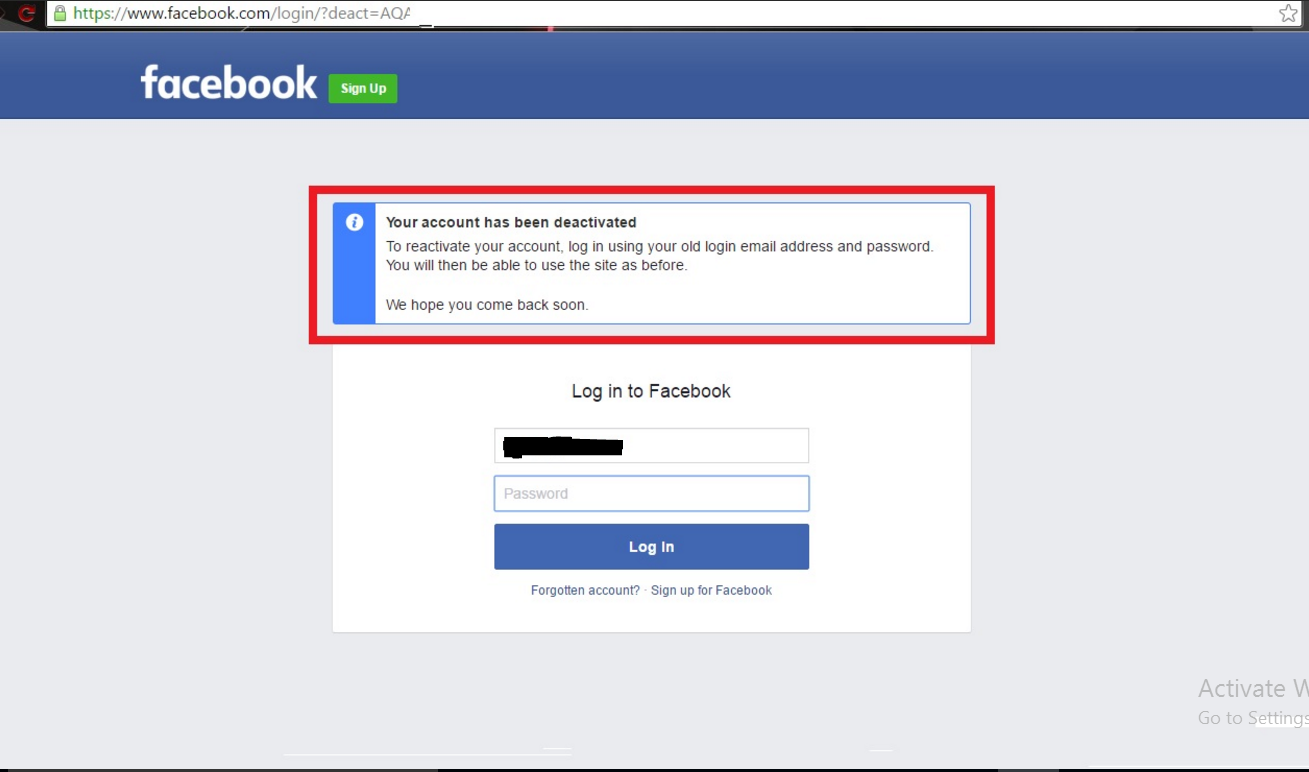
When you do above step you account has been deactivate but you can easily again login.


To delete account permanently again login your account and paste the Url on new tab (Click Here) when you click on this link Facebook ask to delete your account permanently.

Then put your password and click on it. Now click on delete my account. Now your account delete permanently.
(Note:-  your account has been deactivated permanently within 14 days. So don’t login your account within next 14 days)


How to delete Facebook fan page

To delete your Facebook fan page you must have admin on this page. If you are not an admin on this page you can’t delete Facebook fan page. To delete Facebook fan page it is a very simple or easy method. 

So Let’s start how to delete Facebook fan page.

First open your Facebook fan page and go to setting option. And go to last option Remove Page and click on it. As you can see on the Pictures.


When you do step which is displayed on above image then you receive a message to confirm delete your Page option click on it. Now your page delete successfully.


In this tutorial you have learned how to delete Facebook fan page or account permanently. If you have any query comment below and if you like this post doesn’t forget to share. 

(Note:-  your page has been deactivated permanently within 14 days. So don’t cancel your page request within next 14 days).

Friday, 11 November 2016

How to change the Facebook and other social sites Colors, Text easily.


Hello everyone, I am back with some new interesting trick. I know you some times you thought that if you can change the your name in color, make it large and more so here is the best tricks for you people.

So let,s get start.

My favorite color is blue. But i wanna do something new. I thought how i can change the background color of the popular social media website. Like Facebook, Twitter and many other website. Then I research on it. After some time I found the best way to change the background color or text in Facebook or Twitter. This is very simple Process to change the background color or text. I hope that will you really enjoy this.

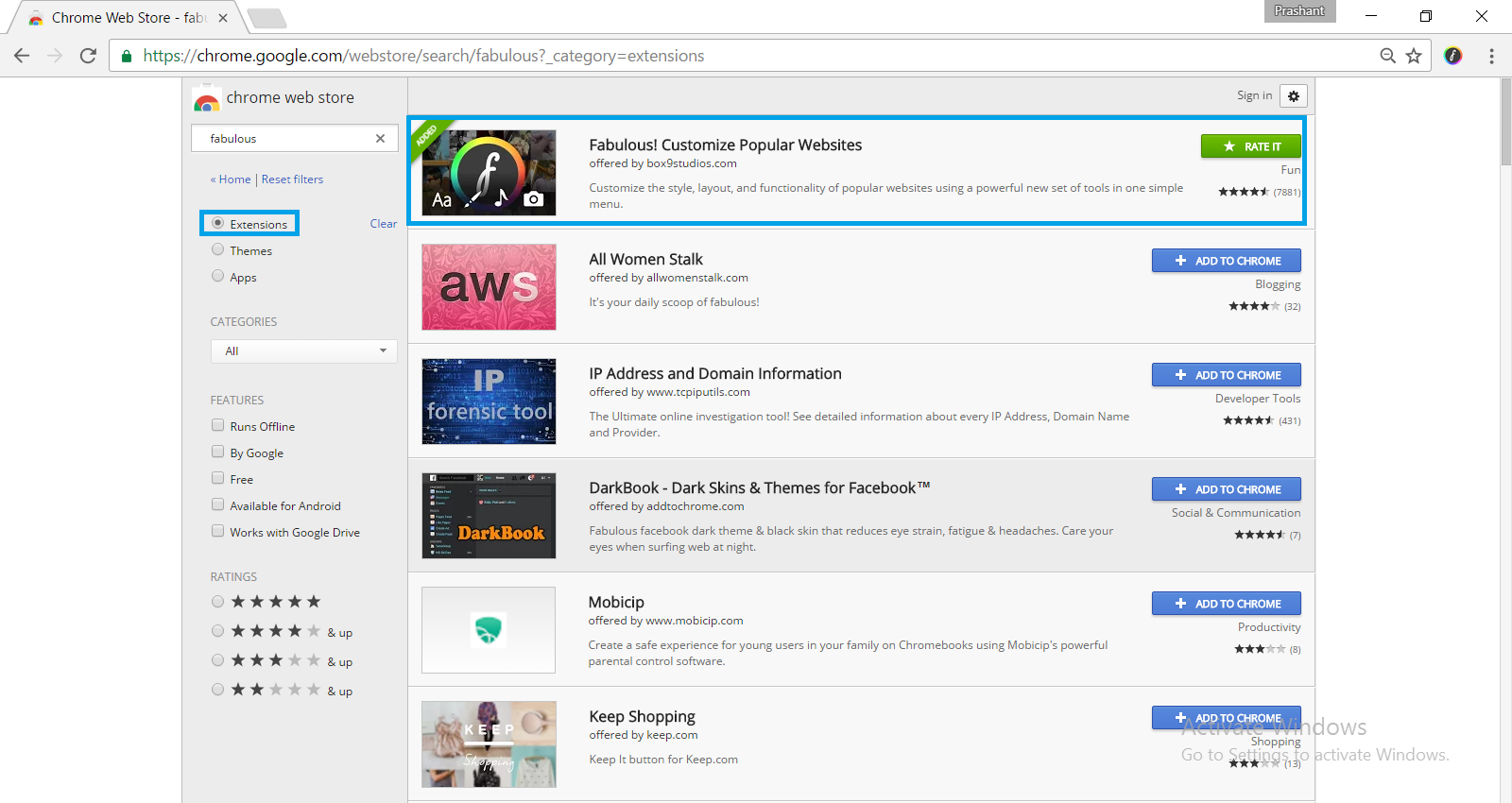
1-  Fabulous is the best way to change the background color or many more.         Fabulous is an extension that allows the user to change the background color, text and many more. 

2-  First of all you have to open your Google Chrome web store and type Fabulous. Click Here 

3-  Mark the check Box in Extension.

4-  Select the Extension and add the chrome.


5-  You have to add the extension in your chrome.

6-  Now open your Facebook and login in your account.


7- Open your Fabulous extension and allow the permission to Facebook or Twitter.


8-  Now you can change the background color and text color, font color and many more as you want.


This is a simple way to change the Facebook or other social media background. You can change your text, cursor, edge, ad block, photo zoom and many more which is given in this extension.

Note:- 
The background of the popular site is only displayed on your desktop. This extension never displayed publicly. No one see your change background on other side. I hope you like this method. Please don’t forget to share.

All done enjoy!!

Monday, 10 October 2016

How to Make Money Using Facebook


Hello everyone, every one knows about Facebook, Facebook is a social media where you can connect with your friends and family. You can share your own pictures, photos, videos etc. 

Every people uses facebook and waste so much time to chat with friends, the don't know the value of time. that's why i make this tutorial that you can use to make some money.

I have been searching for myself many ways on how to make money on facebook, but there is now better ideas for making money from Facebook, but finally one of my friend suggest me site.

How this site works?
At first , you must have a facebook fan page or a facebook group. I thought you people have already your page or a group, on the dashboard you will see hundred of posts, now this is where you make money, once you share a post on your facebook fan page or facebook group, the site will track your post visitors and income will be added to your profile.

Let’s get started:

Sign up to this website using your email address or your twitter account. Here you will need to set up a domain name, if you already have one and you want to use it, you can register it very easy, or you may make a free one.

To set up your account you must also add your facebook pages or groups links to the website, so your visitors will count and earn money.

You must be very carefuly, if you get caught spamming facebook posts on comments you may get your account suspended and all your earnings will go back to advertisers.

Let me explain how you can make money here. There are two ways, 
1- You can share posts created by others, and get money based on visitors you get. 
2- You can create your own content and share it with others.

The minimum payout is $20, payments can be done with PayPal, Bank Deposit or Amazon Giftcards. How much can you make?
It depends, the website doesn’t have fixed rates. You can make a lot of money if you have an active fan page or a lot of followers.

So enjoy it, and don't waste your time with chatting your friends make some money.