Showing posts with label Windows. Show all posts

Saturday, 15 December 2018

Download Windows 10 ISO File For FREE original (2018)


How To Download Windows 10 ISO for free...
If you want to get the Windows 10 ISO file but you don't know where to get it than please follow this tutorial, In this post i am going to show you how to get Windows 10 ISO file directly from official site of the Microsoft. Please watch the video below to see me downloading Windows 10 ISO for free and know how you can also download Windows 10 for free. 


Click on DOWNLOAD link to download the Media Creation Tool

DOWNLOAD Media Creation Tool

Click Here to know how to make Windows 10 Bootable USB Drive

Thank You! for visiting "kilObit" hope we will see you again until than have a good Morning/Day/Evening/Night...

How to Create a Windows 10 Bootable USB Flash Drive (GPT) itmast10

How to Create a Windows 10 Bootable USB Flash Drive...

                                  Today i am going to show you guys how to make a Windows 10 USB Flash Drive using latest Rufus 3.0, i am using Rufus to make bootable flash drive because in Rufus we can make bootable USB drive GPT or MBR, before you make a bootable USB you must check what type of Hard Drive you have MBR or GPT, don't worry i have made a video for this you can watch the video below to learn how to know what type of drive do you have and how to make windows 10 bootable USB drive, all download links will be just below the video. 


Click on DOWNLOAD link to download the Rufus and Windows 10 ISO for free

DOWNLOAD Rufus (official site)

DOWNLOAD Rufus (alternative link)

DOWNLOAD Windows 10 ISO for free

Thank You! for visiting "itmasti10" hope we will see you again until than have a good Morning/Day/Evening/Night..

Monday, 1 October 2018

Computer File Explorer Apk Mod free download

Computer File Explorer Apk Mod free download

Computer File Explorer

Size: 6.42 MB | Version: 1.4.83 | File Type: APK | System: Android 2.3 or higher

Computer File Explorer Apk Mod free download    Computer File Explorer Apk Mod free download Computer File Explorer Apk Mod free download

Features  Computer File Explorer

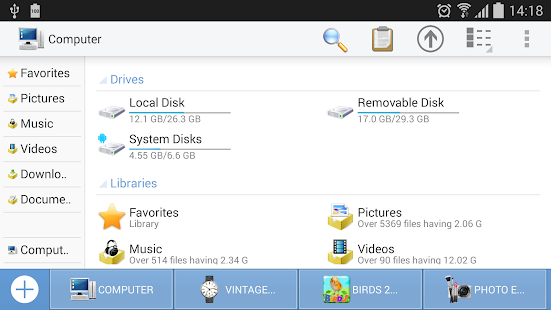
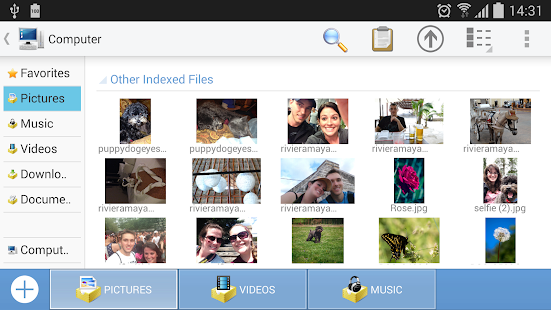
Computer is a free, full-featured file explorer, designed to support multiple tabs and windows opened side-by-side.
It provides access to pictures, music, video, documents, and other files on both your Android devices and your computers.
Features List:
* File explorer: manage your documents like you do on your desktop or laptop; 
* Access your home PC shared documents on network;
* Functions as your FTP or SFTP client for internet connections;
* Application manager: switching to other programs, uninstall or view any app's system management page. Launched applications are also in the taskbar;
* Built-in media viewer and player for various media formats, including photos, music, and videos;
* Thumbnails for APKs and images;
* Built-in ZIP support allows you to decompress or extract ZIP files;
* Kill running tasks, increase memory and speed up your device;
* Supports tabs and side-by-side windows, so you can open multiple folders at the same time;

You visited this site on mobile ?

1. Download the Apk file on mobile. 
2. Install and run it. 
3. That’s it,Enjoy!
 
* You visited this site on desktop or laptop ?

1. Download the Apk file on Pc.
2. Transfer Apk file from PC to your Android Phone (Via USB , Bluetooth , Wi-Fi). 
3. Install and run it. 
4. That’s it,Enjoy!
 

Computer File Explorer Apk Mod free download

Saturday, 19 July 2014

How To Install & Run Windows XP/95 on Android?

Feeling bored? No new ROMs to install? Run Windows 95 on your device and get some nostalgia to your mobile phone/tablet! It's really easy.
At first, I wanted to tag this as useful tools but honestly, there's really no "useful way" to use Windows 95 on your Android device, is it? Just remember the ole' days, right.

To run Windows 95, you need to download an image file. Hit the link below to download Windows 95 and Windows XP IMG files:


(If you're on a mobile phone, please enable desktop mode or download the Mega app from Google Play Store).


One more thing, we need an emulator. Limbo PC Emulator should be fine. Download It!

Let's set up the emulator.
  1. Open it up
  2. Tap on Load VM, select New
  3. Set User Interface to SDL
  4. Scroll down to Hard Disk A, open the image you downloaded
  5. set CPU model to qemu32
  6. RAM Memory set to 120MB or 60 if you have smaller RAM (you can set it up higher for faster bootup and overall performance but it might crash. See available RAM in settings to know how high can you go).
  7. Hit START!
  8. You're done.

Untitled 1