It's been a little while since the new Samsung flagship reveal, that also showed us the new version of Touchwiz followed by bunch of new apps, mostly with a new Material Design-ish overhaul. Guess what, they are ported!
Unfortunately, all these apps are working on Touchwiz-powered ROMs only (Samsung devices only, in other words). Here's a little list of what apps do we have now:
Launcher
AccuWeather widget
Music Player
Keyboard
Smart Manager
S Health
WallpaperPicker
Gallery
Browser
MyFiles
GalaxyApps
Calculator
SnapBiz Card
S Translator
S Note
And a few more.
As you might've guessed, root is needed for installation of some of the apps.
Before replacing any APK in the /system directory, be sure to make a Nandroid backup first!
Detailed instructions followed by download links can be found in the XDA index:
The newly release LG's flagship, the G4, hasn't even shown up to the public and boom, already got a few apps ported for its older brother, G3. The camera, gallery, contacts, launcher, calendar, voice recorder, alarm clock and some more are all available for installing on your G3!
Since the system dumb has been pushed, the LastStandingDroid@XDA decided to port a few apps for the older generation, the G3. In the result he ported a fine amount of apps, including the well-known and brand new camera, known especially for its manual mode, that is partially working on the G3, and shooting pictures in RAW format.
Here's a screenshot (credit goes to LastStandingDroid) of the new Launcher (which hasn't changed much) and the new Music app.
But the biggest tease would probably be the new camera, as it's driven a lot of attention lately. This is a quick video showing the G4 camera running on G3. Alrough I got it working on my G3, I've experienced some FCs and there are definitely some problems.
But for those who can't wait, go ahead! Your device has to be rooted. The apps are made for Lollipop versions.
Firstly, download the ZIP. Extract it on your PC (or directly on your Android device), you should get an APK file along with a "lib" folder.
Navigate to /system/priv-app (or something like, don't quite remember the exact name), open the LGCamera folder (again, something like that :p) and backup the files there (you can backup the camera easily by changing the type from .APK to .BAK
Now simply put the new camera APK to the folder and change the permissions to rw-r-r.
Next, the folder part. Do the same thing with the folder, delete all the files except libDNVBeautyFace_JNI.so, keep this one. Then move all the files from the new folder and finally change the permissions of the folder, if needed (to rwxr-xr-x).
You should get the similar look to this (just with another Camera icon, since this is the old version).
Done? Reboot! Have fun.
Though this is quite a problematic app, there are some that work seamlessly.
LgMusic
LGIMe
LGFileManager
LGHome
LGMusicWidget
These should be working just fine and you shouldn't have or find any bugs.
They're here! The brand new Material Design redesigns of your favourite apps: Google Keep, Music, Books, Calendar, GMail, even Google Fit and much more! Go and grab them now!
They are here and they look awesome. The new, redesigned apps finally rolled out. Watch and get amazed.
I know, right? Now, the best part. Downloads.
You can download them HERE. (If you're on mobile, you might want to turn on the desktop version.)
Please note some apps might not work on your device, installation is normal (install as a normal APK). If you already got that app (GMail, for example), you need to uninstall that app and than install the new one. You don't need to be rooted, but GMail usually comes as a system app so you'll need to remove it first in case to install the newer version.
Wanna try out Android 5.0 Lollipop but have no Nexus device? Well, you can try the awesome 5.0 Keyboard at least! Works for all devices, root is not needed!
So, what's so special about it? Well, nothing much except the new, awesome redesigns!
There is a new theme called Material white, as you can see on the picture above. It's pretty nice! Just another step to make your device look more like Android 5.0. As mentioned, you don't need to to be rooted to get this to work, just grab the APK and install it. Finally, set the keyboard in input settings.
Here's for all Sony lovers - the Xperia Z3 Keyboard port! Fully working and with all emoji!
Yup, you can get the Z3 keyboard also on your non-Sony device thanks to Vipuldj@XDA!
Hot or not? It should be working fine on all devices and definitely on these tested ones:
Lava Iris 405 with 4.1.2 JB and 4.2.2 JB
Micromax A110 with 4.1.x and 4.2.2 JB
GiONEE P3 with 4.2.2 JB
Galaxy S3
Nexus 5
Lg Optimus G
GiONEE M2
LG G2
NOTE-2
Xiaomi NOTE
Galaxy S4 with Stock TouchWiz ROM
GiONEE ELIFE E7
ONE PLUS ONE
Moto G with Stock 4.4.4 Odex
If your device is somewhere in the list, you got nothing to worry about. If not, you still got nothing to worry about, but make a backup before flashing!
As mentioned, installation of the keyboard is done by flashing a keyboard ZIP. Wipe cache + dalvik, flash the keyboard and wipe again. Easy, peasy. Enjoy your keyboard!
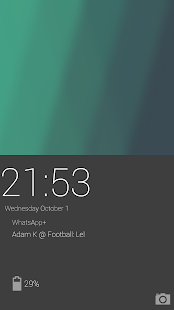
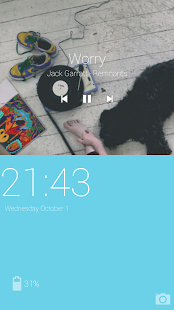
OnePlus One Lockscreen on your device? Why not! Check this awesome port out!
A Developer called abell413, has already ported one of awesome lockscreens, the Android L lockscreen (download here). Now he ported a lockscreen from one of the most powerful and most discussed devices on the market available, the OnePlus One!
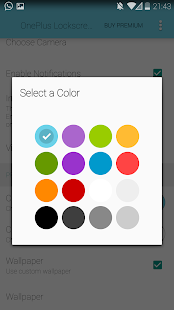
The lockscreen looks and feels the same just as it is in CyanogenMod 11S. You can customize the colors, and it's very intuitive, too! By default it shows you the current date & time, battery life and notifications. It also has its interface when listening to music. You can also access the camera by swyping to the left.
Want to get a bit of TouchWiz taste onto your phone? Now you can with this amazing Galaxy S5 port from Vishnu Pv! No root is needed and you can run it even on your Gingerbread powered device!
Well, lets see the screens!
Cool, eh? The port is created mainly for MDPI devices running Gingerbread (Android 2.3), so you may experience some problems if you got a newer device.
You can install this launcher by flashing a ZIP but you don't need root to get this awesome port! Just download & install this apk file.
The new flagship from Sony - the Xperia Z3. Beautfil design, screen, high specs. What more to say, here's the launcher + widget port!
Check the screens for more info:
Hot or not?
Installation is pretty simple. Downlaod the file, flash the file.
DOWNLOAD: (v6)
On screen button devicess (N4,N5..): http://d-h.st/TOs
NON-On screen buton devices: http://d-h.st/smT
If you have a mdpi device, head over to this thread: http://forum.xda-developers.com/showthread.php?t=2589775
Got the Xperia Launcher has stopped error? Navigate to system/build.prop (using a root browser), open it as a text file and add these lines below: dalvik.vm.dexopt-flags=v=n,o=v,m=y dalvik.vm.verify-bytecode=false
Make a backup before flashing the zip or modyfing any system files.
We may not know how the new Android version is called, but we already have ported these awesome apps from it! Now, you can enjoy wallpapers, apps, fonts, the new keyboard and more on your Android device as well!
So, we got a full system dump from ivan123 that contains:
- All Android L apps - Fonts - Wallpapers - Ringtones & alarms - Google Play Services - Boot animation
Unfortunately, not all apps are working fine and you may experience crashes or other problems. However, you can give it a try!
The apps are not flashable, so to install them, you have to push the apk to /system/app, clear dalvik cache & apps cache, change permissions (rw-r-r--) and reboot.
Fortunately, you don't need to be rooted to get the wallpaper...and Google Keyboard!
To install Google Keyboard, download the APK, uninstall the previous version, install this one and change the theme to material in advanced settings of the app.
The new LG's flagship, G3, has just been released but its ROM is already ported! For G2 users, there's a good news, you can get it right now!
There's not only one port, but already two full-ROM ports from different developers: Cloudyfa and OptimusRs. Both of the ROMs should be stable and contain all G3's features.
Both of them should be stable enough, though you should definitely make a backup. Installation is basically the same, flash via recovery. You need to flash the KitKat Baseband on OptimusG3 ROM.
The new LG's flagship, the G3, has brought and revelaed some amazing stuff. Features, apps, hardware tweaks and much more things. Luckily, one of these things has been ported - the LG G3 Keyboard.
The G3 "smart" keyboard is a beatuful-themed keyboard with nice design. And not only this - it has a bunch of known features such as word prediction, swype and more.
Moreover, you can now freely customize the height of the keyboard so now you'll type even faster!
Check this cool video to find out more about this smart keyboard:
Thanks to Cloudyfa [xda] - you can install this awesome keyboard without having the G3! :-P
If you have JB/KK based ROM, you can easily flash the ZIP or install this APK file and you're done!
CyanogenMod, one of the most famous and most used ROMs, has a bunch of extra special apps, such like special sound booster, DSP Manager, customizable launcher Trebuchet, and neat wallpapers. Till this day, you couldn't get these without having CyanogenMod ROM installed or you have to be rooed and had to flash some ZIPs in case to install them. Not anymore! "CM APPS" app now lets you to install these special CyanogenMod-only apps on your non-cyanogen and non-rooted device as well!
No questions asked. Just tap the app, download & install. That's pretty much all you need to do. Ain't that cool?
HTC One M8 has revealed a bunch of cool stuff including this new interface with Blinkfeed launcher. For those you like it, this is good news! You can now get this awesome launcher on your Android device, too! Moreover, root is not needed!
An XDA member gakugaku has created an awesome port for all Android devices running on 4.4+ that lets us to install the BlinkFeed launcher without having root.
Installing procedure is pretty easy, all yuo need to do is to download a package and install the APK's in it.
Another amazing port coming from Jihnu Sur lets us to try out and enjoy the apps of a new Sony device - Xperia Z2. It's been a while from release and now you can savor the apps (including launcher) on your Android device!
This mod is created especially for Nexus 5, however it should also work well on Nexus 4 (and maybe on some more devices). In every case, though, make a nandroid backup before installing.
The update comes in all-in-one flashable zip so you need to be rooted.
Apps included in the update: 1) Home 2) Walkman - Fixed 3) Album 4) Movies. 5) Easy Home. 6) Notes 7) Sketch 8) Smart Connect 9) Social Life News. 10) Xperia Lounge 11) Social Life News. 12) Tools Widgets 13) Walkman Widget 14) Weather Widgets 15) Sony Xperia Z2 LWP 16) Calender 17) Sony Select
It looks like the porting mania has just started and the apps from the new Samsung flagship are getting ported even though this phone hasn't fully reached the market yet. This time it's the very favourite weather widget - fully working, with animation, clock and all the stuff. Now you can also get it on your device!
First of all, this widget (unfortunately) works only on TouchWiz based ROMs so don't attempt to install it on your non-touchwiz device. (It may work on deodexed ROMs, though). Don't forget to make a backup before doing any of this stuff.
How To Install?
Download a root browser and navigate to /system/app
Although the Samsung's new flagship Galaxy S5 may not have been even released, we can already enjoy all the apps, wallpapers and even launcher! And guess, what: there are way more than this. Now you can download fonts, sounds, apps, boot animation, and just everything you need!
Well, let's get straight to it. The links are refering to its original XDA thread, so if you have any further question about the apps or experience any problems, you can drop a line right there.
Note also some of the apps listed may not work on all devices. As mentioned, report the problems to the threads.
It's been a while the new Samsung flasgship Galaxy S5 is introduced and first ported system app from this device are already out and available for other devices. If you want to try them out, just give it a go and see how th new UI of SGS5 looks!
First of all, ensure your device is running on the newest Android version (KitKat), otherwise the apps will not work. Note also, some of the apps might crash sometimes or just don't work at all. It's all kinda experimental now.
You may experience problems with S Health application and if you don't own a Gear Fit, don't even install the Gear Fit manager because it useless.
HTC M8 - A brand new high-end Htc model, which hasn't even been officialy introduced, now reveals all of the official wallpapers and even system sounds. Now, you can get them also on your Android device!
There's no surprise about leaks of wallpapers, sounds or even apps even though the model hasn't been revealed at all.
The wallpapers look really good to me, it seems Htc is focusing mostly on the nature and details. Try them out to see if they also fit your device!
DOWNLOAD (Click for mini-previews of the wallpapers)
Some of the apps from Nokia X like browser have been ported almost immediately after the phone has been released, now the list has been expanded by next three apps: Nokia X Store, Nokia Music and Nokia Email!
I would personally suggest and recommend these apps to low-end smartphones, as they don't really contain any fancy design or advanced animation. Although, if you're curious about the interface, you can get them, too!
Nokia X Store
Nokia X Store offers some basic apps and games like Twitter, Skype, BBM Messenger and a few game. As you can see, app has a really basic UI. Nothing special.
Nokia Music
Nokia Music does really look like the Stock Music Player in Android 2.3 Gingerbread. Again, nothing special. Just pure simplicity.
Nokia Email
And again, nothing special here. These apps might be useful for your parents, or grandparents, as they doesn't really require any smooth animations or complex interface, though.
To install these, just download the APK file and install as a normal application. If that doesn't work, push the app to /system/app, set the permissions and reboot (this requires root access).
If you want to try the launcher out, you gotta be rooted. To install, downloadand flash the zip via custom recovery, reboot, press the home button on your device and choose your prefered launcher.